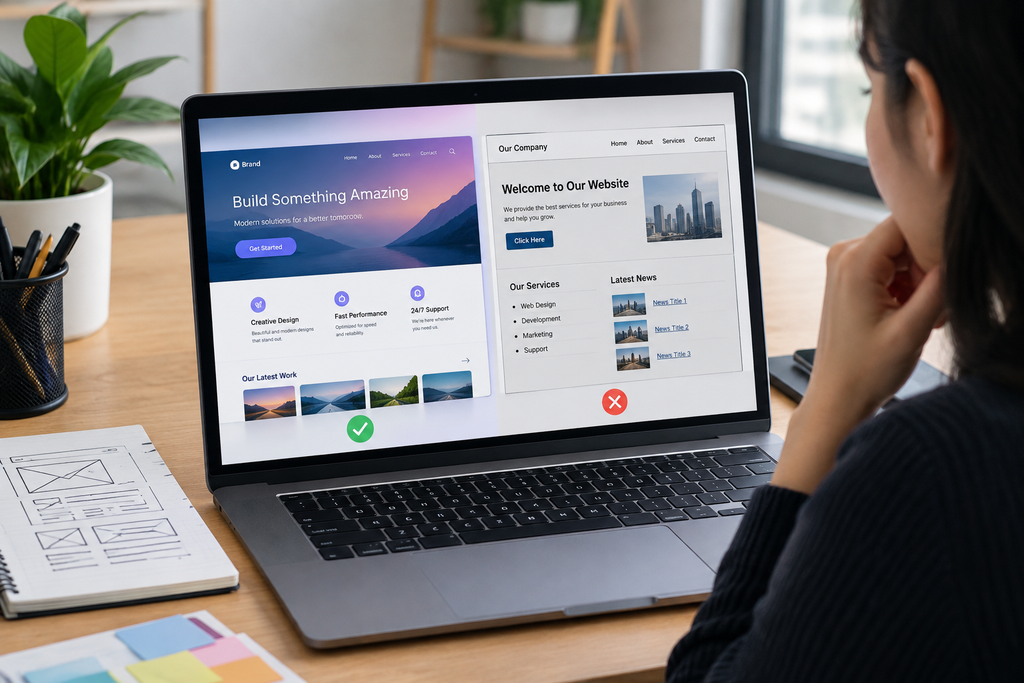
A website can use a modern template, large images, gradients, animations, rounded cards, and contemporary fonts and still look unprofessional. The problem is usually not that the design is outdated. It is that the individual design elements do not work together as a coherent system.
A professional website needs more than a modern visual style. It needs clear hierarchy, consistent typography, controlled spacing, readable content, appropriate imagery, intuitive navigation, strong visual consistency, and a user experience that works across devices. Research from Stanford’s Web Credibility Project has also identified professional visual design, usability, clear contact information, expertise, and avoiding errors as important factors associated with website credibility.
If your website looks modern but still does not feel trustworthy or polished, the following problems are worth checking.
What Makes a Modern Website Look Unprofessional?
A modern website can look unprofessional when its visual elements are individually attractive but collectively inconsistent.
For example, your homepage might have an impressive hero section, but the next section may use different typography, inconsistent button styles, excessive colors, poorly cropped images, or completely different spacing. The result is a website that looks like several design ideas were combined rather than one carefully designed brand experience.
Professional design is largely about consistency and intentionality.
Users should be able to understand what matters most, where they are, what they can click, and what action they should take without having to figure out the interface themselves.
1. Your Website Has No Clear Visual Hierarchy
One of the most common reasons a website looks unprofessional is weak visual hierarchy.
Visual hierarchy determines how a visitor’s attention moves through a page. Headlines, supporting text, buttons, images, navigation, and secondary information should not all compete for equal attention.
For example, if your headline, paragraph, five buttons, three promotional badges, and several images all have strong visual emphasis, nothing actually becomes the primary focus.
A stronger hierarchy might look like this:
- Large headline communicating the main value proposition
- Short supporting explanation
- One primary call-to-action
- Secondary action with less visual emphasis
- Supporting visual or product image
- Additional information below
Size, contrast, spacing, placement, and color can all contribute to hierarchy. Nielsen Norman Group identifies scale, visual hierarchy, balance, contrast, and Gestalt principles as important visual-design principles.
How to fix it
Review every major section and ask:
What should the visitor notice first, second, and third?
If everything appears equally important, reduce visual emphasis on secondary elements.
2. Your Typography Is Inconsistent
Typography is one of the easiest ways to make a website look either polished or amateurish.
Problems often appear when a website uses too many fonts, inconsistent font weights, random heading sizes, poorly chosen line heights, or text that is difficult to scan.
You do not need many typefaces to create visual variety. A controlled typography system is usually more effective.
For example, establish styles for:
- H1 headings
- H2 headings
- H3 headings
- Body text
- Small supporting text
- Buttons
- Navigation
Your headings should have a recognizable relationship with one another. Body text should remain comfortable to read, while smaller text should not become so small that visitors have to strain to read it.
Typography also needs to work with your brand. A playful font may suit a children’s product, while a financial services company may require a more restrained typographic system.
3. Your Spacing and Alignment Are Inconsistent
A website can have excellent colors and typography and still look messy because of poor spacing.
Common problems include:
- Different gaps between similar sections
- Buttons that are not aligned
- Cards with inconsistent internal padding
- Text blocks starting at different positions
- Uneven margins
- Elements that appear too close together
- Large empty areas without a clear purpose
Professional interfaces generally use an underlying spacing and alignment system.
For example, if three cards represent the same type of information, their headings, descriptions, buttons, and internal padding should follow consistent rules.
Instead of manually choosing different spacing values throughout the site, establish a repeatable system.
You should also check whether major content sections share a common content width and alignment. When the left and right edges of important sections line up, the page usually feels more organized.
Let’s Talk About Your Business
Not sure which approach is right for your business? Get a free consultation with our team.
4. Your Color Palette Is Too Complicated
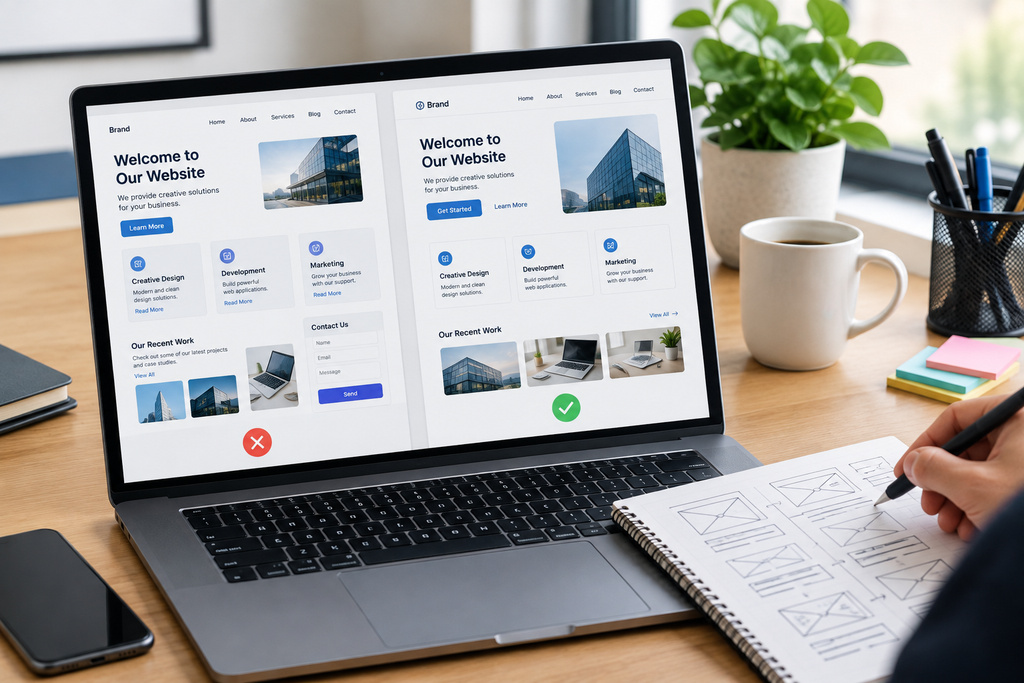
A website does not become more professional by using more colors.
Too many accent colors can make a page look inconsistent, especially when buttons, icons, headings, backgrounds, badges, and links all use different colors.
A more controlled palette normally includes:
- Primary brand color
- Secondary/accent color
- Main text color
- Muted text color
- Background color
- Border or surface color
- Functional colors for states such as success, warning, or error
The goal is not to eliminate color. It is to give each color a clear purpose.
If every element uses a different color, visitors may not know which elements are important or interactive.
For more detailed guidance, see [INTERNAL LINK: How Can I Choose the Right Color Palette for a Professional Business Website?].
5. Your Images Look Cheap or Inconsistent
High-quality design cannot compensate for poor imagery.
Stock photos that have obviously staged compositions, inconsistent photography styles, low-resolution product images, incorrect cropping, or mismatched visual treatments can immediately reduce the perceived quality of a website.
Images should support the purpose of the page.
For a product website, product photography should be consistent in background, lighting, scale, and cropping. For a service company, photographs should reinforce the company’s actual expertise rather than simply filling empty spaces.
Also check image dimensions. An image that is stretched, pixelated, poorly cropped, or displayed with inconsistent aspect ratios can make an otherwise polished layout look unfinished.
6. Your Buttons and UI Components Do Not Follow One System
Another common problem is inconsistent interface components.
Imagine one button has a 6px border radius, another has 20px, one uses uppercase text, another uses sentence case, and a third has a completely different color.
Each button may look acceptable individually, but together they make the interface feel unplanned.
Create consistent rules for:
- Primary buttons
- Secondary buttons
- Text links
- Form fields
- Cards
- Badges
- Icons
- Navigation elements
- Hover and active states
Consistency helps users understand that similar-looking components perform similar functions.
7. Your Homepage Is Trying to Say Too Much
A professional website does not necessarily need to show everything immediately.
A crowded hero section may contain a headline, paragraph, multiple CTAs, trust badges, statistics, animations, a product image, social proof, promotional messaging, and several navigation options.
The visitor then has to determine what matters.
Instead, identify the single most important message for each section.
Your homepage should answer fundamental questions quickly:
- What does the business offer?
- Who is it for?
- Why should someone care?
- What should the visitor do next?
Once those questions are answered, supporting information can appear progressively further down the page.
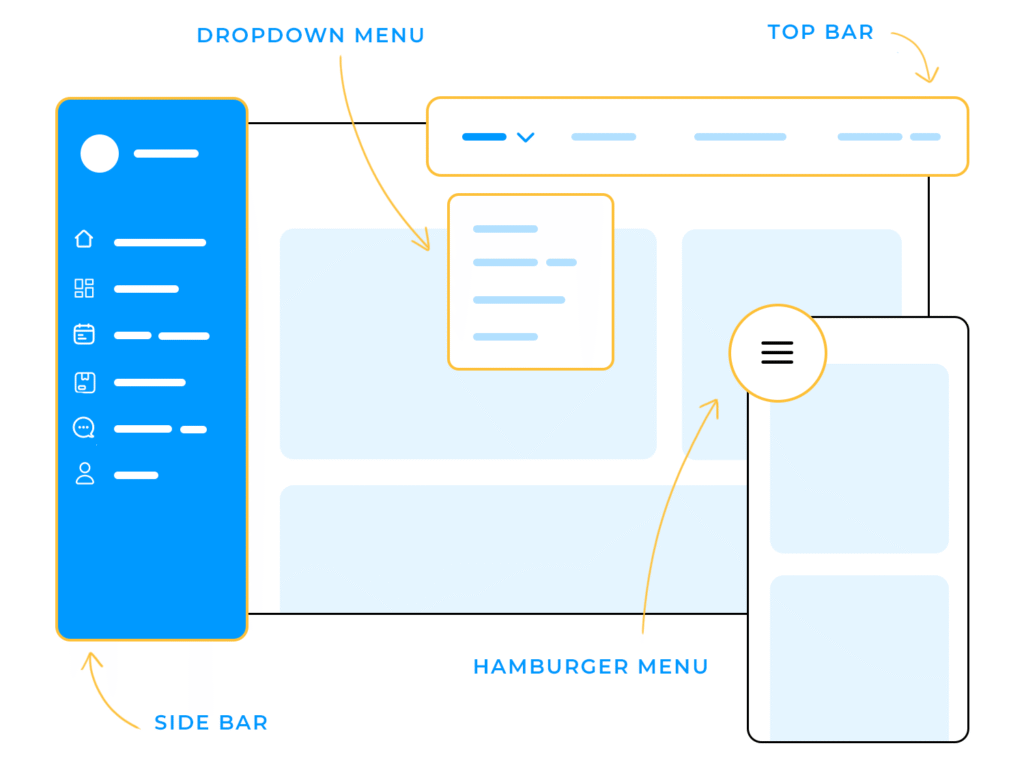
8. Your Navigation Is Confusing
A visually attractive website can still feel unprofessional if visitors cannot easily find important pages.
Navigation should reflect how users think about the website, not necessarily how the company organizes its internal departments.
Avoid unnecessary menu items and unclear labels.
For example, a visitor may understand Services, Pricing, About, and Contact immediately. A menu containing internal terminology or vague labels can create unnecessary confusion.
Navigation consistency is particularly important when visitors move between pages. The header should not dramatically change from one page to another unless there is a deliberate reason.
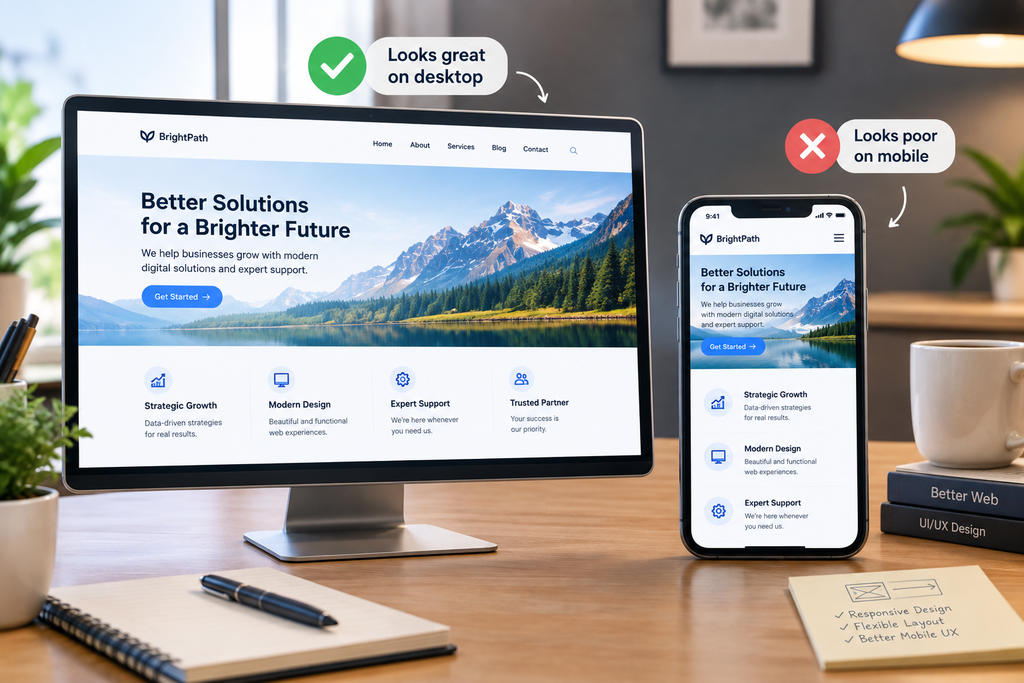
9. Your Website Looks Good on Desktop but Poor on Mobile
A modern desktop layout can fall apart on smaller screens.
Common mobile problems include:
- Text becoming too small
- Buttons becoming difficult to tap
- Horizontal scrolling
- Images being cropped incorrectly
- Navigation becoming confusing
- Excessive animation
- Cards becoming too narrow
- Sections taking too much vertical space
- Poorly positioned pop-ups
Responsive design is not simply making desktop content narrower. The layout may need to change its structure based on available screen space.
Check your most important pages on actual mobile devices rather than relying only on a desktop browser’s responsive preview.
If your desktop design looks polished but your mobile experience does not, the website may feel unfinished.
See [INTERNAL LINK: Why Does My Website Look Good on Desktop but Poor on Mobile?] for a deeper look at this problem.
10. Your Design Has Too Many Effects
Gradients, shadows, animations, glassmorphism, floating elements, hover effects, and motion can make a website feel contemporary. They can also make it look dated or distracting when overused.
The question is not whether an effect looks modern. The question is whether it improves communication.
For example, a subtle hover effect can communicate that an element is interactive. An animation that delays access to important information may do the opposite.
Use effects to support hierarchy, interaction, or branding—not simply because they are available in the design system.
11. Your Content Does Not Match the Quality of Your Design
This problem is frequently overlooked.
A visually sophisticated website can still appear unprofessional if the copy contains:
- Spelling mistakes
- Grammar errors
- Weak headlines
- Long unexplained paragraphs
- Generic claims
- Missing product details
- Unclear calls to action
- Outdated information
Stanford’s Web Credibility Project specifically identifies errors, unclear contact information, poor usability, and lack of visible credibility signals as issues that can affect perceptions of website credibility.
Design and content need to communicate the same level of quality.
If the website looks premium but the copy says very little, visitors may notice the mismatch.
How to Fix an Unprofessional-Looking Website Step by Step
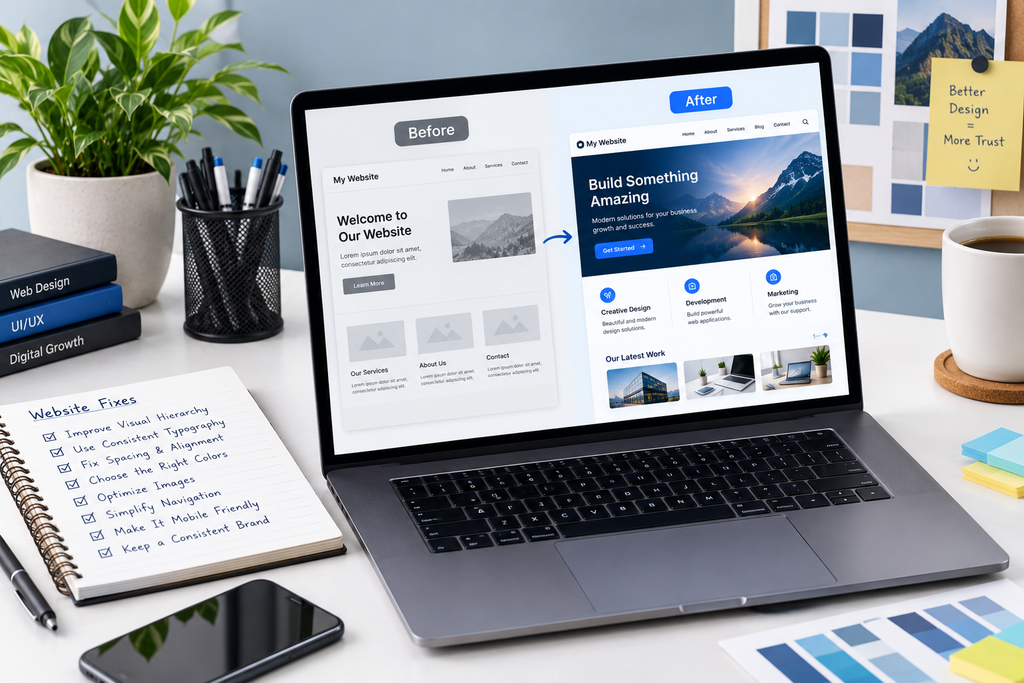
You do not necessarily need a complete redesign.
Start with an audit.
Step 1: Review the first screen
Ask whether a new visitor can understand the business, audience, value proposition, and primary action without scrolling.
Step 2: Standardize typography
Define your heading, body, button, and supporting-text styles.
Step 3: Create a spacing system
Choose consistent spacing values and apply them to sections, cards, buttons, and text blocks.
Step 4: Simplify the color palette
Give every major color a specific role.
Step 5: Check alignment
Look for inconsistent content widths, uneven card alignment, and elements that appear randomly positioned.
Step 6: Replace weak imagery
Remove low-quality, irrelevant, outdated, or inconsistent images.
Step 7: Standardize UI components
Make buttons, forms, cards, icons, and navigation elements visually consistent.
Step 8: Test mobile separately
Review key pages on different screen sizes and test actual interactions.
Step 9: Remove unnecessary effects
Keep animations and decorative elements that improve the experience. Remove those that only create noise.
Step 10: Proofread everything
Check headings, buttons, product information, contact details, links, and legal or trust-related information.
If your main problem is specifically inconsistent spacing, alignment, or layout, see [INTERNAL LINK: How Can I Fix Poor Spacing, Alignment, and Layout Problems in My Website Design?].
What Does a Truly Professional Website Look Like?
A professional website does not have to be visually complicated.
It should feel intentional, consistent, readable, trustworthy, and easy to use.
The strongest websites typically establish a clear visual hierarchy, use typography and spacing consistently, provide intuitive navigation, use imagery appropriately, and remove unnecessary visual noise.
Professionalism also depends on context. A law firm’s website should not necessarily look like a gaming platform, and a creative agency should not necessarily use the same visual language as a healthcare organization.
The design should fit the business, audience, and purpose.
Conclusion
If your website still looks unprofessional despite having a modern design, the problem may not be the template or visual trend you selected. It may be the lack of consistency between typography, spacing, colors, imagery, components, content, navigation, and responsive behavior.
Start by identifying the areas where the design system breaks down rather than immediately replacing the entire website.
A modern website becomes professional when every visual and functional decision has a purpose. Clear hierarchy tells visitors where to look, consistent components make the interface predictable, strong content builds credibility, and responsive design ensures the experience remains polished across devices.
In other words, modern design is a visual style; professional design is a complete system.
FAQs
1. Why does my website look cheap even though I paid for a modern design?
A modern template does not guarantee a professional result. Websites often look cheap because of inconsistent spacing, poor-quality images, too many colors, inconsistent typography, weak alignment, excessive effects, or poorly written content. Review the entire design system rather than focusing only on the homepage template.
2. What makes a website look professional?
A professional website usually has consistent typography, clear visual hierarchy, controlled spacing, appropriate colors, high-quality imagery, predictable navigation, consistent UI components, readable content, and strong mobile usability. The design should also match the business and audience rather than simply following current visual trends.
3. How many colors should a professional website use?
There is no universal number of colors that every professional website must use. What matters more is assigning each color a clear purpose. A practical system can have a primary brand color, an accent color, text colors, backgrounds, borders, and functional colors for states such as errors or success.
4. Can bad typography make a website look unprofessional?
Yes. Excessive font choices, inconsistent heading sizes, poor line spacing, difficult-to-read text, and inconsistent font weights can make a website feel disorganized. Establishing a consistent typography hierarchy helps visitors scan the page and understand which information is most important.
5. Why does my website look professional on desktop but bad on mobile?
Desktop and mobile have different space constraints, so simply shrinking a desktop layout is not enough. Mobile layouts may need different navigation, stacking, spacing, image proportions, button sizes, and content presentation. Test important pages at multiple screen sizes and check actual interactions such as menus, forms, buttons, and scrolling.
6. Do I need to redesign my entire website if it looks unprofessional?
Not necessarily. Many problems can be corrected without rebuilding the entire site. Start with typography, spacing, alignment, colors, imagery, buttons, navigation, content quality, and mobile responsiveness. A systematic design audit can reveal whether the problems are isolated components or whether the underlying design system needs a larger redesign.
Let’s Figure It Out.
Tell us what you’re working on and we’ll help you identify the right next step.